
PixelCake PixelCake Infrastructure, piece by piece.

The network drawing that answers back.

PixelCake is a visual designer for small networks. Draw the network, configure it for real, then ask it: does this PC reach that server? If it does not, you see where the packet stops, and why.

App coming soon Why I am building this

in your browser · no account · open source

ping → replythere and back, hop by hop ping → stopped herethe answer says why
What it does

One place to do three things with a network. On the same drawing.

  1. Design Draw it, with the real thing behind every line.
  2. Ask Does this reach that? Hop by hop, with the reason.
  3. Present Show it, break it, see what still works.

Design

Draw it like on a whiteboard, with the real thing behind every line. Any vendor, or none.

  • Twenty-four kinds of devices, each with a drawing of its own
  • Addresses on every router port and network card
  • VLANs port by port, access and trunk, each named once for the whole project
  • Static routes, with a backup for when the line goes down
  • Firewall zones and ordered rules
  • NAT towards the Internet, and port forwards for what is reached from it
  • DHCP for what takes its address by itself, DNS to call a device by name
  • Named areas behind groups of devices, and a note on any device
VLAN 10 1 Gbps PC-2ip 192.168.10.12gateway 192.168.10.1vlan 10

Ask

Ask in plain words: does this reach that? The packet is followed hop by hop, and the answer names the device that decided, and the port, the route or the rule it used.

From a panel with two menus, or from the built-in terminal: a small vendor-neutral command language, with no vendor syntax to remember.

11 22 33 44 55 trace Server from PC1 PC2 Switch3 Router routed, port 24 Firewall allowed, rule 15 Server reached
pixelcake> trace Customer-Portal from Remote-Customer as web Tracing route to Customer-Portal (203.0.113.1) from Remote-Customer as web: 1 ○ Remote-Customer (PC) 2 ○ Internet (Cloud) — Internet is not simulated: traffic assumed to pass 3 ○ FW-Edge (Firewall) — NAT: destination 203.0.113.1 → 172.16.0.10 (port forward 1); routed: 172.16.0.0/24 is on port 2; firewall FW-Edge: allowed by rule 1 (allow web from untrust to 172.16.0.10) 4 ○ SW-DMZ (Switch) 5 ● Customer-Portal (Server) note: Customer-Portal is behind NAT: reached at 203.0.113.1, where FW-Edge publishes it (port forward 1) note: Internet is not simulated: traffic assumed to pass note: firewall FW-Edge: allowed by rule 1 (allow web from untrust to 172.16.0.10) Trace complete: destination reached. pixelcake> ping Customer-Portal from Remote-Customer Pinging Customer-Portal (172.16.0.10) from Remote-Customer... Ping failed (blocked): request: Internet does not carry private addresses: 172.16.0.10 is not reachable from outside: no port forward publishes it for ping dropped at: Internet
The real thing: output of the built-in terminal. On the sample network, a customer on the Internet reaches the public portal on the web, through the firewall's NAT and its rule. A ping does not get in.

Present

Put the editing tools away and show it to someone who was not in the room. Click two devices to ask a question, and watch the packet go.

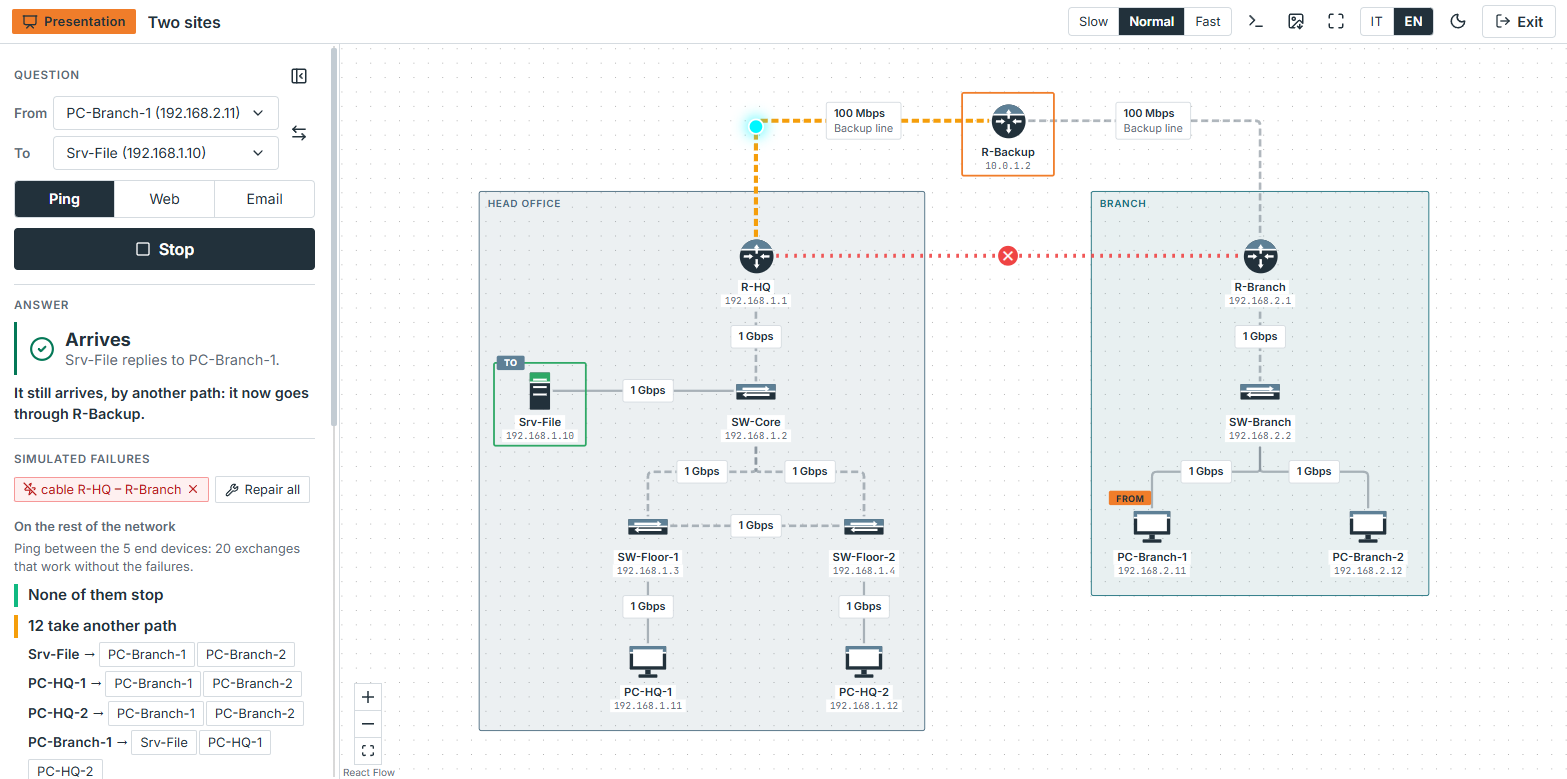
Then break something, a cable or a device. You see at once whether the traffic finds another way, and which exchanges stop working. Nothing in the drawing changes.

When the meeting is over, hand the board over as a picture, PNG or SVG, with the question, the answer and what was broken written under it.

main line cutstill arrives, by the backup
The app

What it looks like

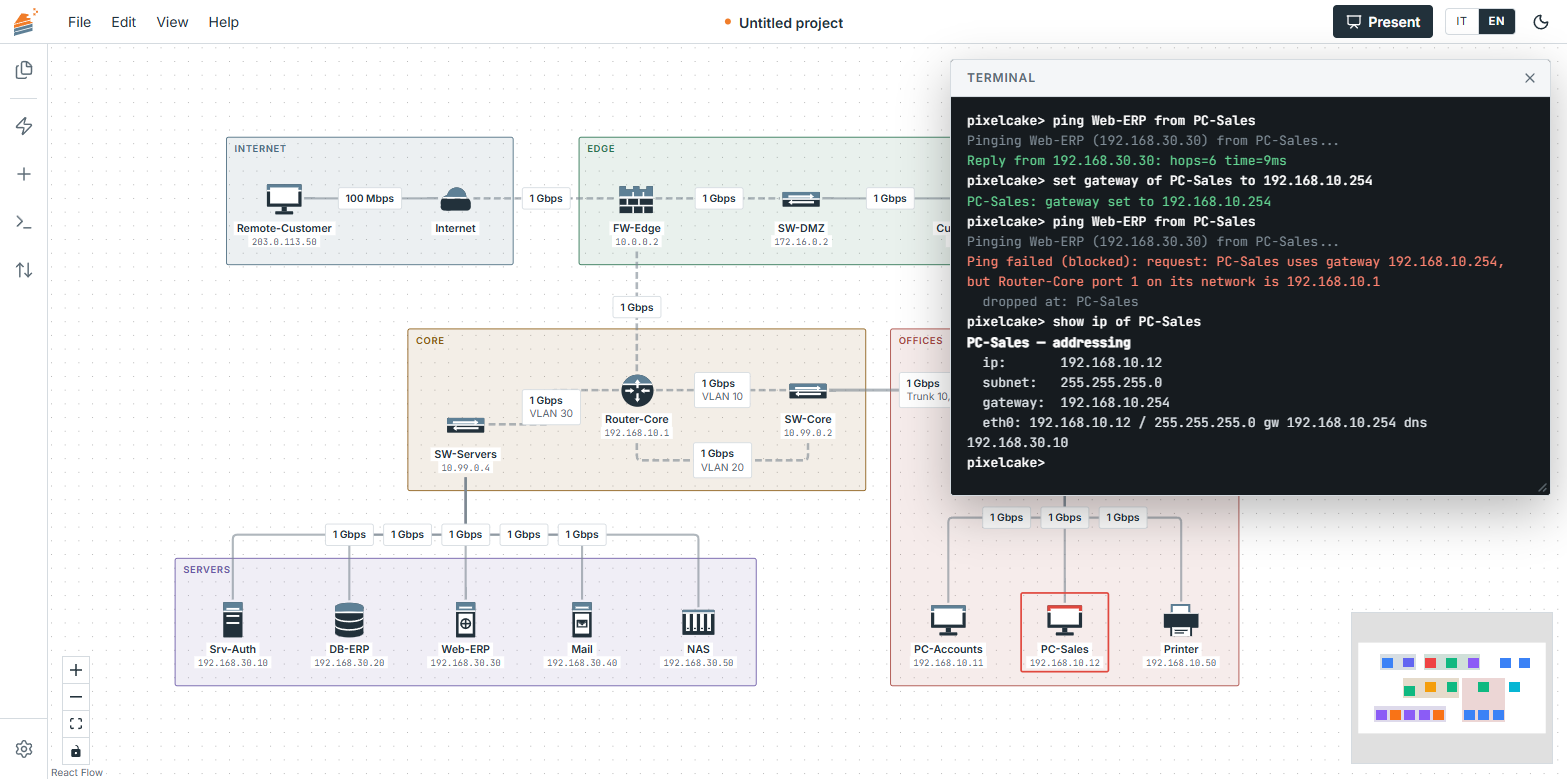
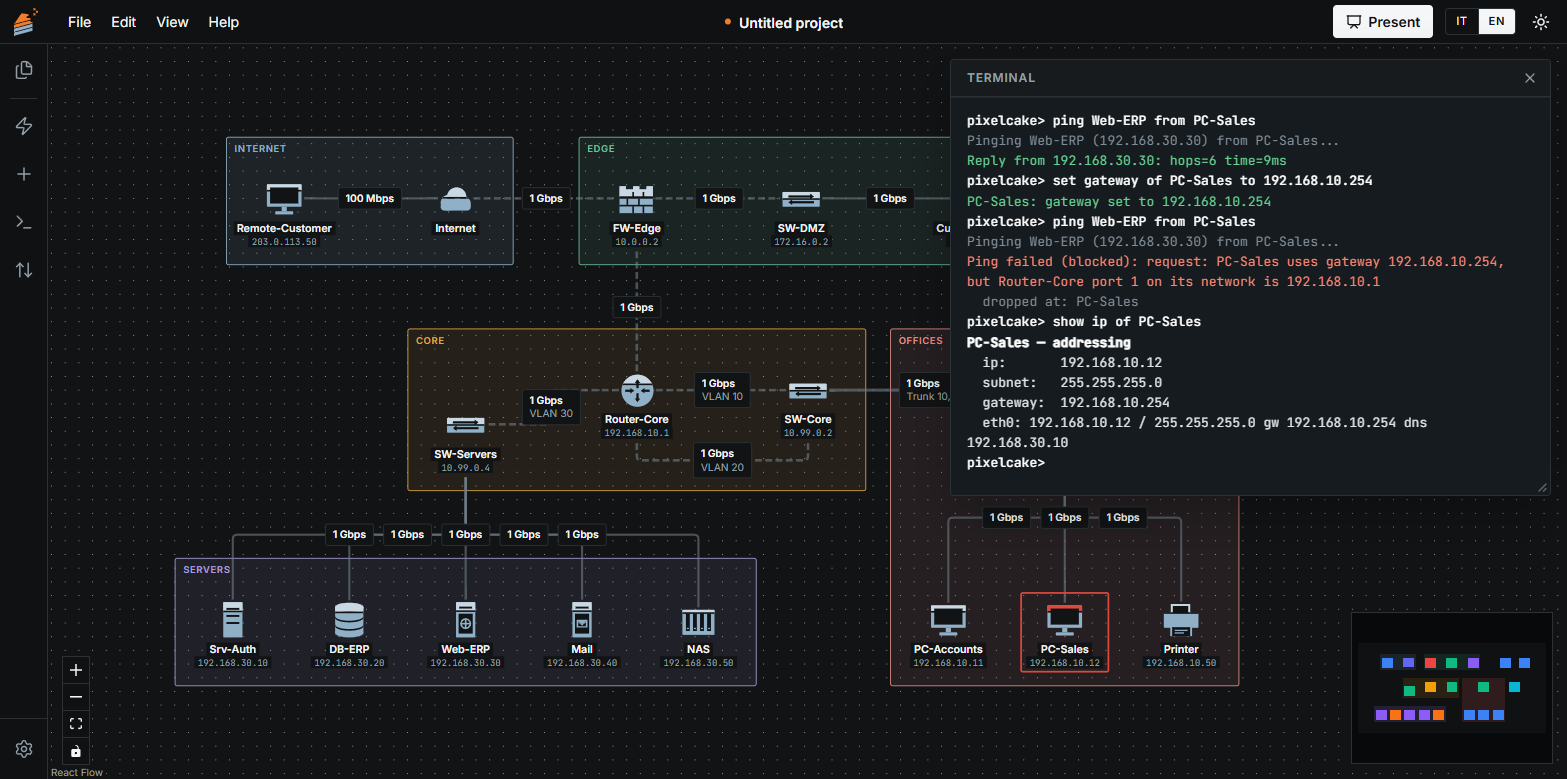
PixelCake with the sample network of a small company on the canvas: offices, Wi-Fi, a room of servers, a public portal behind a firewall. The terminal is open on a ping that works and on one that is stopped, with the reason. PixelCake with the sample network of a small company on the canvas: offices, Wi-Fi, a room of servers, a public portal behind a firewall. The terminal is open on a ping that works and on one that is stopped, with the reason.
Design and ask. The sample network that ships with the app, and the built-in terminal.
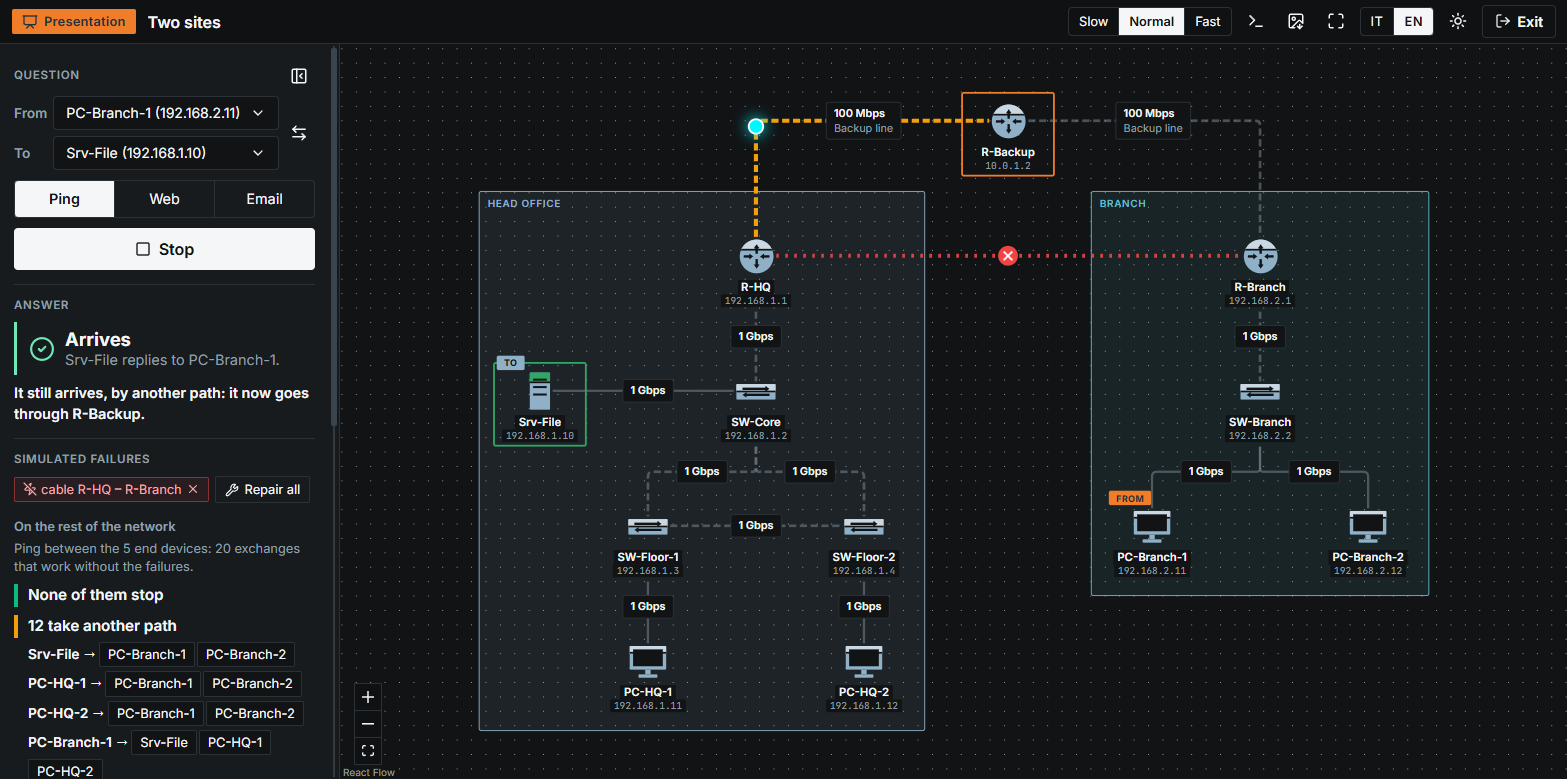
Presentation mode on a network of two sites: the main line between them is cut, the answer still arrives through the backup router, and the panel lists which exchanges take another path. Presentation mode on a network of two sites: the main line between them is cut, the answer still arrives through the backup router, and the panel lists which exchanges take another path.
Present. The main line is cut: the answer still arrives, through the backup router.
Limits

What it checks, and what it does not

It follows
  • Cables and ports, VLAN by VLAN
  • Subnets, gateways and routing tables, hop by hop
  • Firewall zones and rules, replies included
  • NAT and port forwards: private addresses do not cross the Internet
  • DHCP leases, and names looked up on the DNS server of the drawing
  • A broken cable or device, and the backup route that takes over
It does not
  • Single frames: there is no ARP, no MAC table, no timing
  • Time: a lease does not expire, a name is not cached
  • Dynamic routing and spanning tree
  • Port numbers: the services are ping, web and email

It is good for exploring and explaining a small network. Do not use its answers to validate a real one. Whatever is not simulated says so, in a note next to the answer.

Yours

Nothing between you and the drawing

In your browser

Nothing to install, and no server behind it. Open the page and draw.

Your files

A project is one .pixelcake.json file on your disk. No account, and nothing is uploaded.

Open source

Released under AGPL-3.0. Read it, run it, change it: github.com/pixelcake-dev.

Start

Try it on a network that is already drawn.

The welcome screen loads a small company in one click: offices and Wi-Fi in two VLANs, a room of servers, a public portal in a DMZ behind a firewall. Ask it something.

App coming soon Why I am building this